
PDFgear
v2.1.20
ℹ️ تفاصيل البرنامج
🖥️ المتطلبات
تحميل مجاني لبرنامج PDFgear (آخر إصدار)
تحميل مجاني لبرنامج PDFgear هو أحدث برنامج لتحرير ملفات PDF لتعديل، إدارة، تمييز، تحويل وإضافة توقيع إلى ملفات PDF. يأتي هذا البرنامج مع ميزات الذكاء الاصطناعي والمساعد الذكي التي تجعله أكثر تكيفًا من غيره من برامج التحرير. بفضل مساعدتي الذكاء الاصطناعي والمساعد الذكي، يمكنك إجراء التعديلات على ملفات PDF بسهولة. بالإضافة إلى ذلك، يحتوي هذا البرنامج على جميع الميزات التي تتوفر عادةً فقط في البرامج المدفوعة أو المرخصة. لذا، قم بتحميل PDFgear واستمتع به على جهاز الكمبيوتر الخاص بك لتحرير وإنشاء ملفات PDF مجانًا.
مقدمة تفصيلية عن PDFgear:
آخر إصدار من PDFgear متوفر لنظام Windows (10، 11)، macOS، وiOS مجانًا بدون أي ترخيص أو نسخة تجريبية. يتوفر البرنامج لسطح المكتب بتصميم واجهة مستخدم مذهلة. يمكنك تحرير ملفات PDF مباشرة دون أي عناء. أثناء تحرير ملف PDF، يمكنك إضافة أو حذف النص، توقيع رقمي، تمييز، تدوير، وإضافة أو حذف الوسائط. ميزة التعرف الضوئي على الأحرف (OCR) تجعله مميزًا للمستخدمين حول العالم. يتيح لك البرنامج التحكم في تنوع تنسيقات الملفات. بعد تحرير ملفات PDF، يمكنك تحويلها إلى تنسيقات أخرى مثل JPG، PNG، مستندات Word، وملفات الويب.
ميزات فريدة وشاملة:
يقدم هذا البرنامج ميزات واسعة ومتاحة مجانًا للمستخدمين.
يمكن للمستخدمين استخدام أحدث ميزات الذكاء الاصطناعي والمساعد الذكي لتحرير ملفات PDF الخاصة بهم.
تساعدك ميزات الذكاء الاصطناعي والمساعد الذكي على التعديل وإجراء التغييرات بسهولة.
يمكنك تصحيح النصوص وتسليط الضوء على الأخطاء بدقة.
إضافة أو حذف الصفحات غير المرغوب فيها في ملف PDF الخاص بك.
ميزة OCR تسهل قراءة الأحرف الضوئية لإدخال البيانات.
إضافة ملفات وسائط مثل الصور إلى ملفات PDF بدون قيود على حجم الملف.
ترتيب الصفحات بشكل مناسب أو استبدالها.
تحويل ملفات PDF إلى تنسيقات أخرى مثل JPG، PNG، وورد.
كيفية التثبيت؟
أولاً، قم بتحميل برنامج PDFgear من الزر المخصص.
استخدم WinRAR أو أي أداة فك ضغط لاستخراج الملف التنفيذي.
بعد الاستخراج، شغّل ملف التثبيت (.exe) وقم بتثبيته.
اتبع خطوات التثبيت بنجاح بدون أي مشاكل.
الآن، قم بتشغيل البرنامج وابدأ في تحرير ملفات PDF الخاصة بك.
كيفية الاستخدام؟
بعد اكتمال التثبيت، قم بتشغيل برنامج PDFgear.
انتظر حتى يتم تحميل واجهة المستخدم الرسومية بشكل كامل.
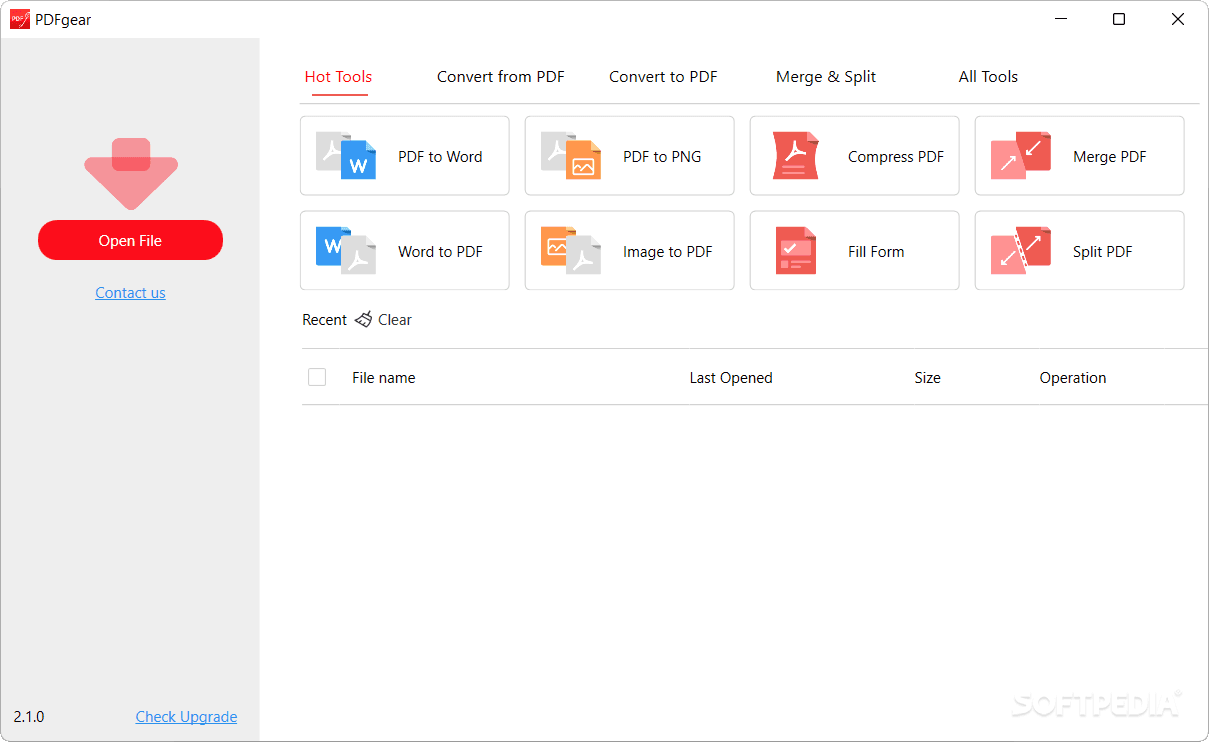
ستظهر لك العديد من الخيارات على الشاشة للاستخدام.
استخدم أدواته الشاملة لتحرير ملفات PDF بسهولة.
يمكنك مراجعة لقطات الشاشة، مشاهدتها، واستخدامها مباشرة.
✅ المميزات
- ✓تحرير ملفات PDF باستخدام الذكاء الاصطناعي والمساعد الذكي.
- ✓تمييز ملفات PDF بسهولة ويسر.
- ✓إضافة أو حذف الصفحات من ملفات PDF.
- ✓استخدام ميزة OCR لقراءة الأحرف الضوئية وإدخال البيانات.
- ✓إضافة التوقيعات الرقمية إلى ملفات PDF.
- ✓إضافة أو حذف الوسائط المتعددة داخل ملفات PDF.
- ✓تحويل ملفات PDF إلى تنسيقات أخرى مثل JPG، PNG، وورد.


